Chapter 1 of 8
What is GIS?
What GIS actually means, what it does, and how to tell whether you need it.
GIS stands for Geographic Information System. It's a broad term, and pinning down a single definition is surprisingly tricky. Ask ten GIS users and you'll likely get ten different answers.
You could argue (and the propeller-heads often do) that any digital data containing location information is, technically, a GIS.
But you're not here to split hairs over semantics. You're here because you want to know what most people mean when they say "GIS," and, more importantly, how it can be useful to you and your organisation.
This is the most useful distinction a beginner can hold onto, so let's make it concrete:
- Google Maps helps you find a restaurant. GIS helps a council decide where a new library is needed.
- Google Maps shows you today's traffic. GIS helps a logistics team analyse whether their delivery coverage has gaps.
- Google Maps gives you a route from A to B. GIS helps a planner weigh routes against land ownership, slope, and environmental impact.
What does a GIS do?
It can do a lot of things, but here's the short answer: a GIS lets you visualise your data as a map.
We're visual creatures with an innate knack for spotting patterns. Patterns that would take hours to find in a spreadsheet often jump out in an instant when the same data is shown as a graph, a chart, or, in this case, a map.

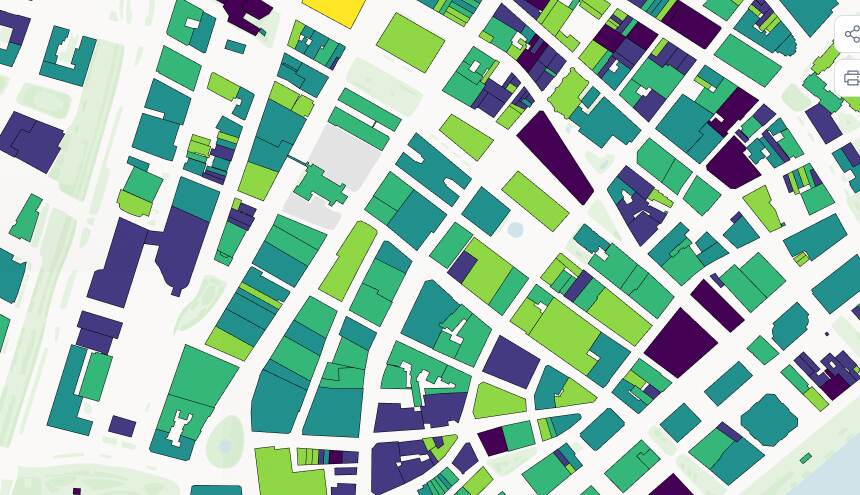
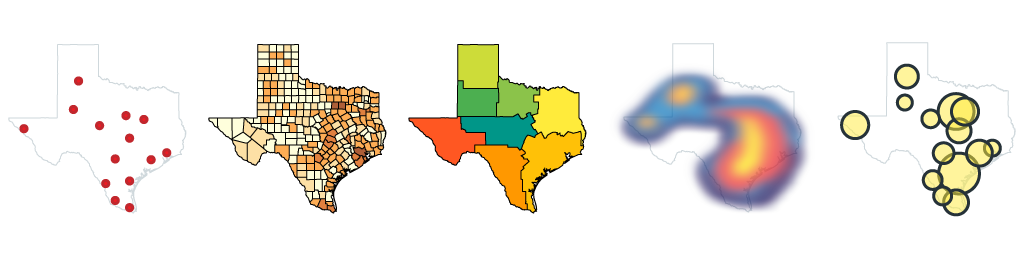
There are countless ways to show your data on a map: plotting markers, colour-coding locations by a value, or using heatmaps to reveal clusters. The potential insights are effectively endless.
What's more, a GIS isn't static. It lets you ask complex questions (called "queries" in GIS speak) whenever you like, and answers them instantly by re-colouring, reshaping, or highlighting locations on the map.
GIS in the wild
Once you know what to look for, you start spotting GIS everywhere. Almost every map-like tool you use day to day has a GIS behind it:
| Everyday example | The GIS concept behind it |
|---|---|
| Blue dot on your phone | Location coordinates |
| A store finder | Points, attributes, distance search |
| A property website | Parcels, boundaries, filters |
| Delivery tracking | Real-time location and routing |
| An election-night map | Boundaries, results, choropleth styling |
| A flood-risk map | Raster data, elevation, risk zones |
| A council asset map | Lines, points, polygons, inspections |
Don't worry if some of those terms are unfamiliar; we'll meet every one of them over the next few chapters.
Do I need a GIS?
The honest answer: a GIS is just a tool, a means to an end. Most people don't actually need a GIS; what they need is the answer to a question. A GIS is simply a more efficient way of getting that answer.
So the real question is this: would being able to see your data on a map, and quickly answer location-based questions, give you a return on the time it takes to get up to speed?
Here's a clue: if data is a core part of your business, the answer starts with "y," ends in "s," and has an "e" in the middle.
Location is a powerful dimension of your data that you've probably been neglecting. You know the what and the when, and you likely know the how. But do you really understand the where? I'll bet there are patterns hiding in your data right now, and a GIS shines a light on them.
A quick gut check. You probably want a GIS if you're trying to:
- See where your customers, assets, sites, or events are
- Compare locations, or find patterns by area
- Plan service coverage, or analyse distance, access, risk, or suitability
- Share location-based information with other people
- Turn spreadsheet rows into a map
You probably don't need one if all you want is:
- Directions from A to B
- A one-off screenshot of a place
- A single pin dropped on a consumer map
- A rough visual with no real data behind it
How much does GIS cost?
I can hear you thinking:
That all sounds great, but be straight with me: am I going to need to sell a kidney?
You'll be pleased to know that most of us who benefit from GIS still have both kidneys intact. There's a whole spectrum, from completely free to genuinely expensive, and most beginners live happily at the affordable end:
| Path | Typical cost | Best for |
|---|---|---|
| Free & open source | Free, apart from your time | Learning, analysis, and technical users |
| SaaS web GIS | Monthly or annual subscription | Publishing and sharing maps without managing infrastructure |
| Enterprise GIS | Higher licensing + implementation cost | Large organisations with complex workflows, permissions, and integrations |
| Consultant-supported | Project-based cost | One-off complex analysis, data cleanup, migration, or custom mapping |
In most cases the main cost of GIS isn't software licensing at all; it's time. A consultant can be worth it when the work is one-off, technically complex, or expensive to get wrong. But for the everyday "I just want to see my data on a map" job, you can get a very long way yourself. Which brings us neatly to the next question.
Can I do GIS myself?
If you ask a consultant, you'll get a long, buzzword-laden answer that eventually arrives at "no." But isn't that always the way with consultants?
The truth is that you absolutely can do it yourself, using freely available tools and a bit of self-study. I know, because that's exactly how I learned: a software engineer who made it well into his twenties blissfully unaware that GIS existed, until a client asked me to put their maps online.
By the end of this guide (it's short, so it won't take long) I'm confident you'll be genuinely excited about what GIS can do for you. Next up, we'll look at the maps themselves.
Ready to make your first map?
Everything in this guide, put to work: upload your data and publish an interactive map in an afternoon. No credit card required.