
The Beginner's Guide to GIS
New to GIS and not sure where to start? This short, friendly guide explains what GIS is, why it's useful, and how to get going, with no jargon, no algorithms, and no PhD required.
8 chapters · about 62 min in total
New to GIS? Not sure where to start? This guide gives you everything you need to understand what GIS is and how it can be an asset for you and your organisation.
This guide is for people who use maps all the time but have never made one from data. If you've ever used Google Maps to find a coffee shop, tracked a delivery driver across town, or scrolled a property map looking for your next home, you've already brushed against a small piece of GIS, even if nobody called it that.
If you're here, I'm guessing the term "GIS" (or "web GIS") has popped up at work. Maybe your team has decided to start using GIS to make better sense of its data, or you went looking for a way to map your data and that search led you here.
And if, like me, the first thing you did was head to Wikipedia, you'll have been met with a wall of jargon and some genuinely scary-looking algorithms:
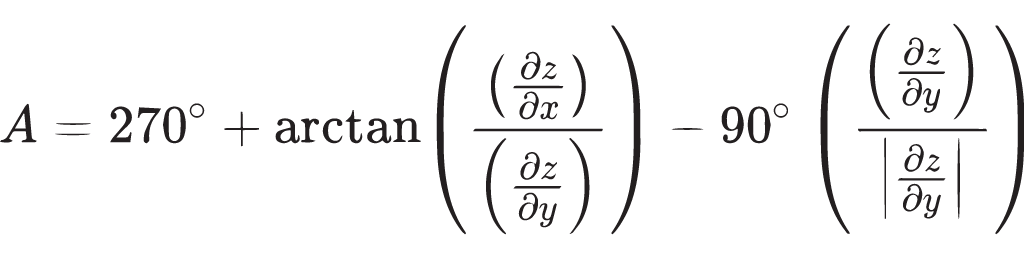
Before you get disheartened or fall asleep, here's some good news: GIS really isn't that complicated, and it can even be fun. By the end of this short guide you'll not only understand what GIS is about. You'll also have the vocabulary to discuss it with confidence, and the basics of operating a GIS, preparing map data, and sharing interactive maps on the web.
What you'll be able to do after this guide
By the time you reach the end, you should be able to:
- Explain what GIS is in plain English
- Understand how a GIS map differs from Google Maps
- Recognise points, lines, polygons, rasters, and attributes
- Choose a sensible map type for a simple problem
- Understand the common GIS file formats and when to use each
- Know where to look for good, free GIS data
- See how desktop GIS, web GIS, and web maps fit together
- Avoid the most common beginner mapping mistakes
- Publish and share a simple interactive map of your own
The roadmap
Here's the path we'll take:
- What is GIS? GIS in plain English, and whether you need it
- GIS Mapping: the map types, and how to choose the right one
- GIS Data: vector vs raster, file formats, and where to find data
- GIS Software: which category of tool fits which job
- Web GIS: how maps get published, shared, and embedded online
- Common Mistakes: the errors that make beginner maps misleading
- Make Your First Map: a hands-on, do-it-yourself walkthrough
- Glossary & Cheat Sheet: every term and table in one place
Grab a coffee and let's get started.